
Running TikTok ads without conversion tracking is a bit like driving without a dashboard. You can see that people are visiting, but you cannot clearly tell which actions came from your advertising, which campaigns are generating customers, or where people are dropping off.If you want to get your TikTok ads in front of the right audience and make better decisions with your advertising budget, conversion tracking should be part of your setup from the beginning.TikTok provides web measurement through tools such as the TikTok Pixel and Events API. These tools can help advertisers measure website activity, understand campaign performance, build audiences, and optimize campaigns around important actions such as product views, add-to-cart events, leads, and purchases.This guide explains how TikTok conversion tracking works, how to install the TikTok Pixel, how to create conversion events, how to test your setup, and what to do if your tracking is not working correctly.For advertisers who also need reliable advertising infrastructure, Capital Media Hub provides TikTok agency ad account solutions alongside campaign setup, tracking, and scaling support.
What Is TikTok Conversion Tracking?
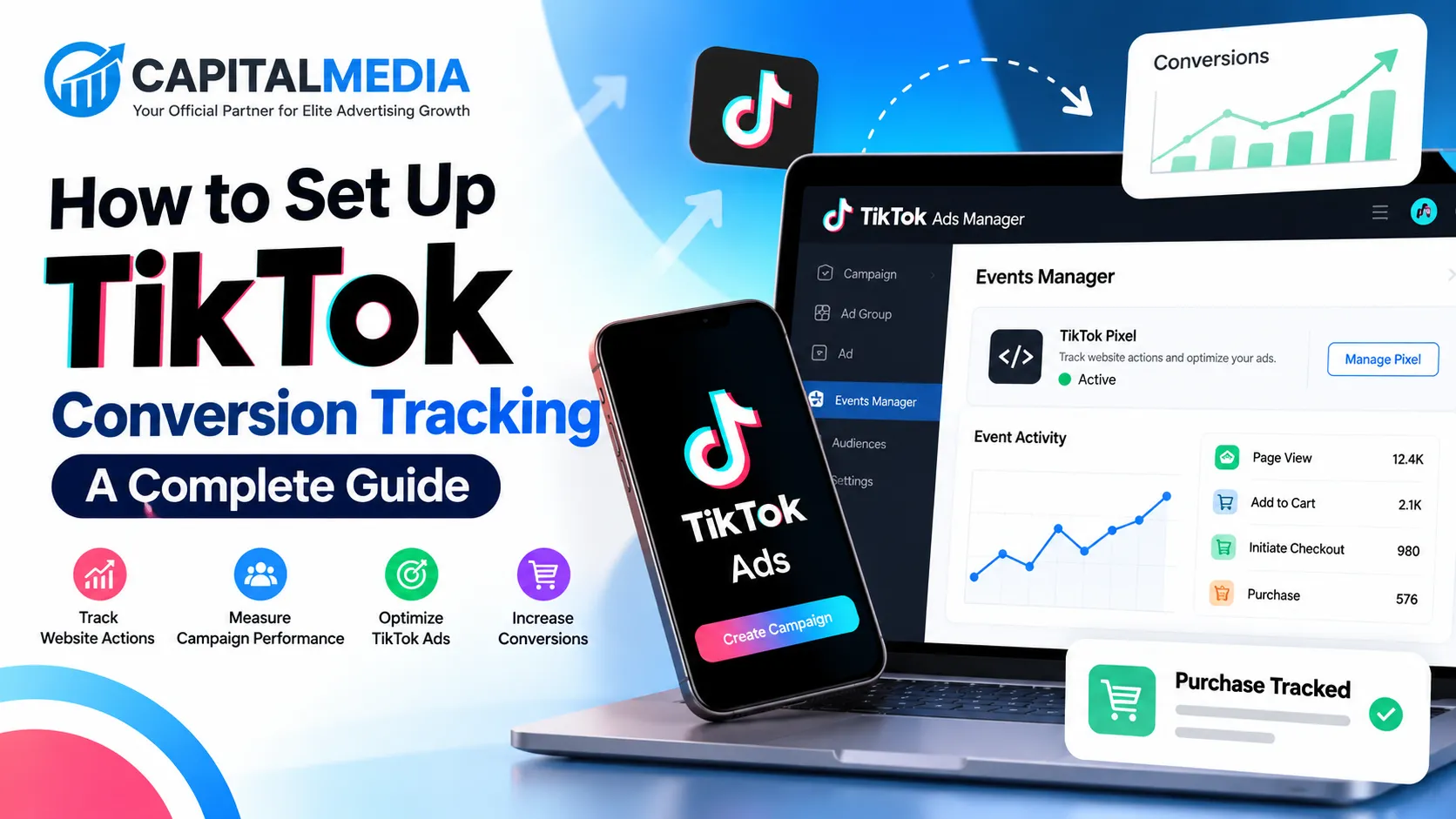
TikTok conversion tracking is the process of measuring actions that users take on your website after interacting with your TikTok advertising.For example, imagine you run a TikTok campaign for an online clothing store.Someone sees your video, clicks the advertisement, visits your website, looks at a product, adds it to their cart, and eventually completes the purchase.Without conversion tracking, you may only know that someone clicked your ad.With properly configured tracking, you can send relevant website events to TikTok and measure actions throughout the customer journey.
Typical events can include:
- Page views
- Product views
- Searches
- Add to cart
- Checkout
- Lead submissions
- Registration
- Purchases
TikTok describes the Pixel as a piece of code installed on a website that shares website events with TikTok. It can be used to measure website traffic, measure advertising performance, and optimize campaigns.That makes conversion tracking important for both reporting and campaign optimization.
Why TikTok Conversion Tracking Matters
The main reason to install conversion tracking is simple: clicks are not the same as business results.Suppose you spend $500 on two TikTok campaigns.Campaign A produces 2,000 clicks but very few purchases.Campaign B produces 900 clicks but generates substantially more sales.If you only look at clicks, Campaign A might appear stronger. Once purchase events are tracked, you can evaluate the campaigns using information that is much closer to your actual business objective.
Conversion tracking can help answer questions such as:
- Which campaign generates purchases?
- Which ad produces leads?
- Which audience reaches the checkout stage?
- How many users add products to their cart?
- Which landing page produces better results?
- Which creatives generate meaningful website actions?
- What is the return from your advertising spend?
TikTok’s current web data connection documentation explains that Pixel and Events API integrations can be used for ad performance measurement, optimization events, and marketing audiences.The quality of the information you send to TikTok matters. If you only track basic page views, you have limited visibility into what happens after the click.
TikTok Pixel vs. Events API
TikTok offers two important ways to send website event information: the TikTok Pixel and Events API.The TikTok Pixel works through the visitor’s browser. You install the Pixel on your website and configure events that represent important actions.Events API provides a server-side connection for sending event information to TikTok.TikTok currently recommends using Pixel and Events API together for stronger measurement coverage in appropriate setups.The two systems serve different technical purposes, so businesses should not automatically treat one as a replacement for the other.For a basic website, starting with TikTok Pixel can be relatively straightforward. For larger e-commerce websites, lead-generation systems, or businesses with more advanced measurement requirements, combining browser and server-side event tracking may make more sense.TikTok also recommends considering the scope of data being shared with internal marketing, legal, and technical teams when implementing Events API.
Step 1: Decide What You Want to Track
Before installing anything, decide which actions actually matter to your business.This step is often skipped, and that creates unnecessary tracking problems later.If you operate an e-commerce store, your conversion path could look like:
TikTok Ad → Product Page → Add to Cart → Checkout → Purchase
For a lead-generation business, the path could be:
TikTok Ad → Landing Page → Form Submission → Lead
For a SaaS company:
TikTok Ad → Pricing Page → Sign Up → Trial → Subscription
Your events should reflect this journey.TikTok recommends setting up events that represent the customer journey, from viewing product information through actions such as adding an item to a cart and purchasing.Do not track dozens of events simply because you can. Focus on actions that help you understand the funnel and make advertising decisions.
Step 2: Open TikTok Events Manager
To create your web tracking setup, go to TikTok Ads Manager and open Events Manager.TikTok’s current setup process allows advertisers to connect a web data source and create a TikTok Pixel.According to TikTok’s setup documentation, the general process involves opening Events Manager, selecting the web data source option, adding your website, and choosing your preferred connection method.Once your Pixel is created, give it a clear name.
For example:
YourBrand Website Pixel
Using a recognizable name makes account management easier, particularly when you manage several websites, brands, or advertising accounts.
Step 3: Install the TikTok Pixel
After creating the Pixel, TikTok provides the base Pixel code that needs to be installed on your website.For a manual setup, the base code is placed in the website’s header.TikTok also supports installation through platforms and tools such as Google Tag Manager. The official Google Tag Manager setup allows advertisers to connect TikTok Pixel through Events Manager and publish the required tags, triggers, and variables.If you use WordPress, Shopify, WooCommerce, or another supported platform, you may also have integration options that simplify installation.The important thing is not simply installing the code. You need to verify that the Pixel actually loads correctly and that the events you care about are being received.
Step 4: Configure Your Conversion Events
Once the base Pixel is installed, the next step is configuring events.TikTok currently provides an Event Builder and Custom Code options for configuring web events.Event Builder is useful when you want to configure certain events without manually writing event code.For example, you can configure an event around a button click.You can also configure events based on URL visits. This can be useful for websites where reaching a specific URL represents an important action, such as reaching a thank-you page after submitting a form or completing a purchase.Custom Code provides more control when you need a specific event and parameter configuration.
Example: Tracking a Lead
Imagine your website has a form at:
/contact
After submission, users are redirected to:
/thank-you
Instead of treating every visitor to the contact page as a lead, you could configure the conversion event around the successful completion page, provided that page is only reached after the desired action.
This gives TikTok a more meaningful signal.
Example: Tracking an E-commerce Purchase
An e-commerce funnel may include:
ViewContent → AddToCart → InitiateCheckout → Purchase
This gives you visibility into several stages of the buying process.If many users reach AddToCart but very few reach Purchase, you have a different problem than if users rarely reach the product page in the first place.That distinction can be valuable when optimizing both advertising and the website experience.
Step 5: Add Relevant Event Parameters
Events tell TikTok that something happened. Parameters can provide additional context about the event.For example, an e-commerce purchase event may need information related to the transaction.The exact implementation depends on your website, integration method, and business requirements.TikTok’s Custom Code setup allows advertisers to select the events and parameters they want to configure.Avoid sending information simply because it is available. Only share data that is appropriate for your measurement needs and complies with applicable privacy and data-protection requirements.For businesses operating across different countries, this becomes especially important because privacy requirements can vary by jurisdiction.
Step 6: Consider Events API
For businesses that need more advanced tracking, TikTok Events API can be added to the measurement setup.Events API provides a server-to-server connection for sending event information to TikTok. TikTok’s documentation explains that advertisers can use Events API for web events and connect it with systems such as commerce platforms, data partners, tag managers, and CRM systems.
A common advanced setup is:
Browser tracking + server-side tracking
This can provide a more robust measurement structure than relying on a single source.However, implementing Events API usually requires more technical work than installing a basic Pixel. Depending on your website and technology stack, you may need a developer or technical marketing specialist.
Step 7: Verify Your TikTok Tracking
Never assume your tracking works simply because the Pixel code is installed. Test it. TikTok provides several ways to verify Pixel and event implementations, including Pixel Helper, Test Events in Events Manager, and Diagnostics.Run through the customer journey yourself.
For example:
- Open the landing page.
- Visit a product page.
- Add an item to the cart.
- Start checkout.
- Complete the purchase if you are using a safe test environment.
- Check whether the corresponding events appear in TikTok Events Manager.
If an event does not appear, investigate before launching a major campaign.A small tracking error can create misleading reporting across an entire advertising campaign.
Common TikTok Conversion Tracking Problems
Even a correctly installed Pixel can have configuration issues.
Pixel Installed but No Events
The base code may be present, but individual events may not have been configured correctly.Check the event setup and make sure the relevant action is triggering the event.
Duplicate Events
Duplicate event firing can make conversion numbers appear higher than the actual number of actions. This can happen when multiple tracking methods are configured without appropriate deduplication or when the same event is implemented more than once.Review your browser and server-side configurations carefully if you use both Pixel and Events API.
Tracking the Wrong Page
URL-based events can be useful, but they need careful configuration.For example, tracking every visit to a /checkout page as a completed purchase would produce misleading data.A purchase event should represent a completed purchase, not simply a visit to a checkout page.
Tracking Page Views Instead of Real Conversions
Page views can be useful for understanding traffic, but they should not replace meaningful conversion events.If your business goal is generating leads, measure the lead.If your goal is sales, measure purchases.If your goal is registrations, measure registrations.The tracking structure should reflect the actual objective.
How Conversion Tracking Helps When You Get Your TikTok Ads Running
Once tracking is configured, you can use conversion information to make more informed advertising decisions.Suppose one creative gets a high number of clicks but another produces more completed purchases.The second creative may deserve more attention even if its click volume is lower.Similarly, if a particular audience produces plenty of traffic but very few conversions, you can investigate the campaign, landing page, offer, or audience settings instead of assuming that more traffic will solve the problem.
This is where conversion tracking becomes more than a reporting feature.
It becomes part of the feedback loop between your ads and your website.
What If Your TikTok Ad Account Has Limitations?
Tracking is only one part of running TikTok advertising campaigns.Some advertisers also face challenges related to account access, campaign approvals, spending limits, billing, or scaling.Capital Media Hub offers TikTok Agency Ad Accounts for advertisers looking for agency-level account solutions. Its website describes options including regular agency accounts, pre-warmed agency accounts, and aged agency accounts, with services covering account setup, billing configuration, campaign support, and scaling.Capital Media Hub also states that its TikTok solutions support advertisers targeting markets including Singapore, Israel, Europe, the USA, and Canada.If you are planning to get your TikTok ads running across international markets, you can explore the available account options directly through Capital Media Hub’s TikTok Agency Ad Account service.The account itself does not replace proper conversion tracking. Your Pixel, Events API setup, event configuration, landing pages, and campaign structure still need to be implemented correctly.
TikTok Conversion Tracking for E-commerce
E-commerce advertisers should think about tracking as a funnel rather than a single purchase event. A basic structure could include:
View Product → Add to Cart → Checkout → Purchase
This allows you to identify where users are progressing and where they are stopping.For example, if people are reaching product pages but rarely adding products to their carts, the issue may be related to the product, price, page experience, or offer.If users frequently add products to carts but do not complete checkout, the problem could be further down the funnel.Conversion tracking does not automatically tell you why users behave a certain way, but it gives you data that helps you investigate the problem.
TikTok Conversion Tracking for Lead Generation
Lead-generation campaigns need a slightly different setup.
A lead might be created when someone:
- Completes a contact form
- Requests a quotation
- Books a consultation
- Registers for a webinar
- Submits an application
- Downloads a gated resource
Choose the event that most closely represents a meaningful lead.If you count every button click as a lead, your reporting can become inflated.For service businesses, this distinction is especially important because ten low-intent form submissions are not necessarily equivalent to ten qualified prospects.
Best Practices for TikTok Conversion Tracking
Keep your implementation simple enough to maintain, but detailed enough to answer important business questions.A few practical rules can help:
Track the full funnel.
Do not stop at the landing-page visit. Track meaningful actions further down the customer journey.
Use consistent event naming.
A clean structure makes troubleshooting easier.
Test before scaling.
Do not wait until you have spent a large advertising budget to discover that your Purchase event is not firing.
Review Diagnostics regularly.
TikTok provides diagnostics tools specifically to help identify Pixel and event problems.
Do not optimize for vanity metrics alone.
Clicks and impressions are useful, but conversions are usually closer to the business outcome.
Document your setup.
Keep a record of which events are installed, where they fire, and what each event represents.
Review privacy requirements.
Make sure your data collection and sharing practices are appropriate for the markets where you operate.
Frequently Asked Questions
What is the TikTok Pixel used for?
The TikTok Pixel is website code that sends website event information to TikTok. It can be used to measure website activity, evaluate advertising performance, and support campaign optimization.
Do I need TikTok Pixel to run TikTok ads?
You can run advertising without having every website conversion event configured, but if your objective involves website conversions, implementing appropriate web measurement is important for understanding campaign performance and optimization.
Can I use Google Tag Manager for TikTok Pixel?
Yes. TikTok provides an official Google Tag Manager setup process through Events Manager. The integration can install the necessary TikTok tags and related configuration through your GTM workspace.
Should I use Pixel and Events API together?
TikTok recommends setting up both Pixel and Events API together in appropriate circumstances to improve measurement. The right implementation depends on your website, technical setup, business requirements, and data-sharing considerations.
How do I know if my TikTok Pixel is working?
You can use TikTok Pixel Helper, Test Events in Events Manager, and the Diagnostics section to check your implementation.
Can Capital Media Hub help with TikTok advertising?
Capital Media Hub offers TikTok agency ad account solutions and describes support for account setup, billing, campaign management, creative assistance, optimization, and scaling.
Final Thoughts
Setting up TikTok conversion tracking should happen before you start judging the performance of your campaigns. The basic process is straightforward:
Create your TikTok Pixel → Install the base code → Configure events → Add relevant parameters → Consider Events API → Test everything → Monitor conversions.
Once the tracking is working correctly, your TikTok advertising data becomes much more useful. Instead of looking only at views and clicks, you can follow the actions that matter to your business. And if you are ready to get your TikTok ads running but need an agency-level advertising account or support with scaling, Capital Media Hub offers TikTok Agency Ad Account solutions for advertisers and brands.
Explore Capital Media Hub’s TikTok Agency Ad Accounts
The most important point is simple: get the tracking right before you scale the spend. Better measurement gives you a clearer picture of what your campaigns are actually doing and where your next optimization should happen.